
SF9 report cards don’t have to take days to finish.
When grades are already complete in your class record, SF9 can be generated automatically — with final grades, remarks, and DepEd-compliant formatting already in place — so teachers spend time reviewing, not re-computing or retyping.
Why SF9 Preparation Still Feels Heavy for Many DepEd Teachers
SF9 preparation is a regular part of the school year, but for many DepEd teachers, it still takes more time than it should.
Based on shared experiences from teacher communities and forums, SF9 work often extends beyond school hours, especially for class advisers with large sections. Even when grades are already complete, teachers still need to compute, transfer, double-check, format, print, and prepare report cards within a short deadline
Errors are another concern. Because SF9 is an official school document, mistakes are very visible. Teachers often avoid erasures because they damage the card or make it look unprofessional, leading some to reprint entire report cards just to correct a single entry
To cope, many teachers use Excel or shared “automated SF9” templates. These help, but they still depend on manual file handling, version checking, and careful alignment with the latest DepEd policies. In the end, consistency across forms still relies on the teacher’s extra effort.
The core issue isn’t the SF9 form itself — it’s the lack of an automated, connected grading and reporting workflow.
Practical Tips and Workarounds Teachers Use to Finish SF9

Before any official system support, DepEd teachers have already developed their own ways to survive SF9 season. Here are some of the most common strategies shared in teacher communities.
- Using Excel-Based Automated SF9 Templates - Many teachers rely on Excel files with built-in formulas to compute quarterly grades, final grades, and general averages. This reduces repeated calculations and helps catch errors earlier, especially when handling multiple subjects and sections
- Maintaining One Master Grade File - To avoid re-encoding, some advisers keep a single master grade file per section and use it as the basis for SF9 and SF10. This helps maintain consistency, but updates still need to be checked carefully across forms
- Encoding First, Printing Only When Sure - Teachers often complete and review all data digitally before printing SF9. This minimizes erasures and reprints, especially since physical corrections on SF9 are discouraged or restricted in many schools
- Batching Tasks to Save Time - Instead of working learner by learner, many teachers batch tasks — finishing all grades first, then remarks, then promotion status. This reduces mental switching and helps speed up completion
- Reusing Files Every Quarter - Some teachers reuse the same SF9 file each quarter, updating values instead of creating new files. While this saves time, it also increases the risk of version errors or outdated formats if policies change
These workarounds clearly show that teachers are already trying to automate their work. The challenge is that these solutions are temporary, manual, and disconnected.
What Makes Automation Possible in Better Teaching Solutions
Better Teaching Solutions is built around actual DepEd school forms, not generic templates.
SF9 inside the platform follows the same structure teachers already know, but it is connected to the class record and other required forms. Because the data lives in one system, automation becomes possible.
Instead of preparing SF9 outside and copying information in, teachers work directly on the platform — and the system handles the repetitive parts in the background.
Automatic Grade Computation, Done the Right Way
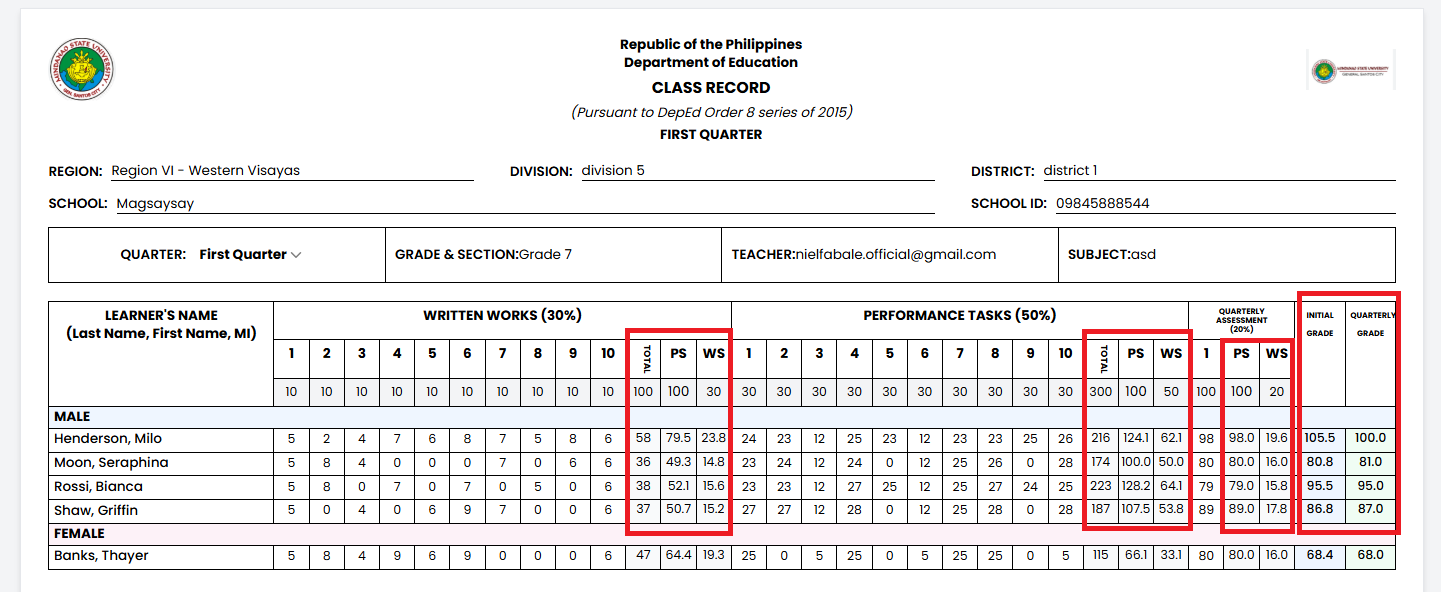
Once grades are entered in the class record, quarterly grades are computed automatically based on Written Works, Performance Tasks, and Quarterly Assessments. Final grades per subject are calculated from all four quarters, and the general average is computed across subjects.
DepEd transmutation tables are applied by default. There’s no need to remember formulas or check if the correct computation was used. This removes one of the most common causes of SF9 delays — second-guessing the math.
DepEd transmutation tables are applied by default. There’s no need to remember formulas or check if the correct computation was used. This removes one of the most common causes of SF9 delays — second-guessing the math.
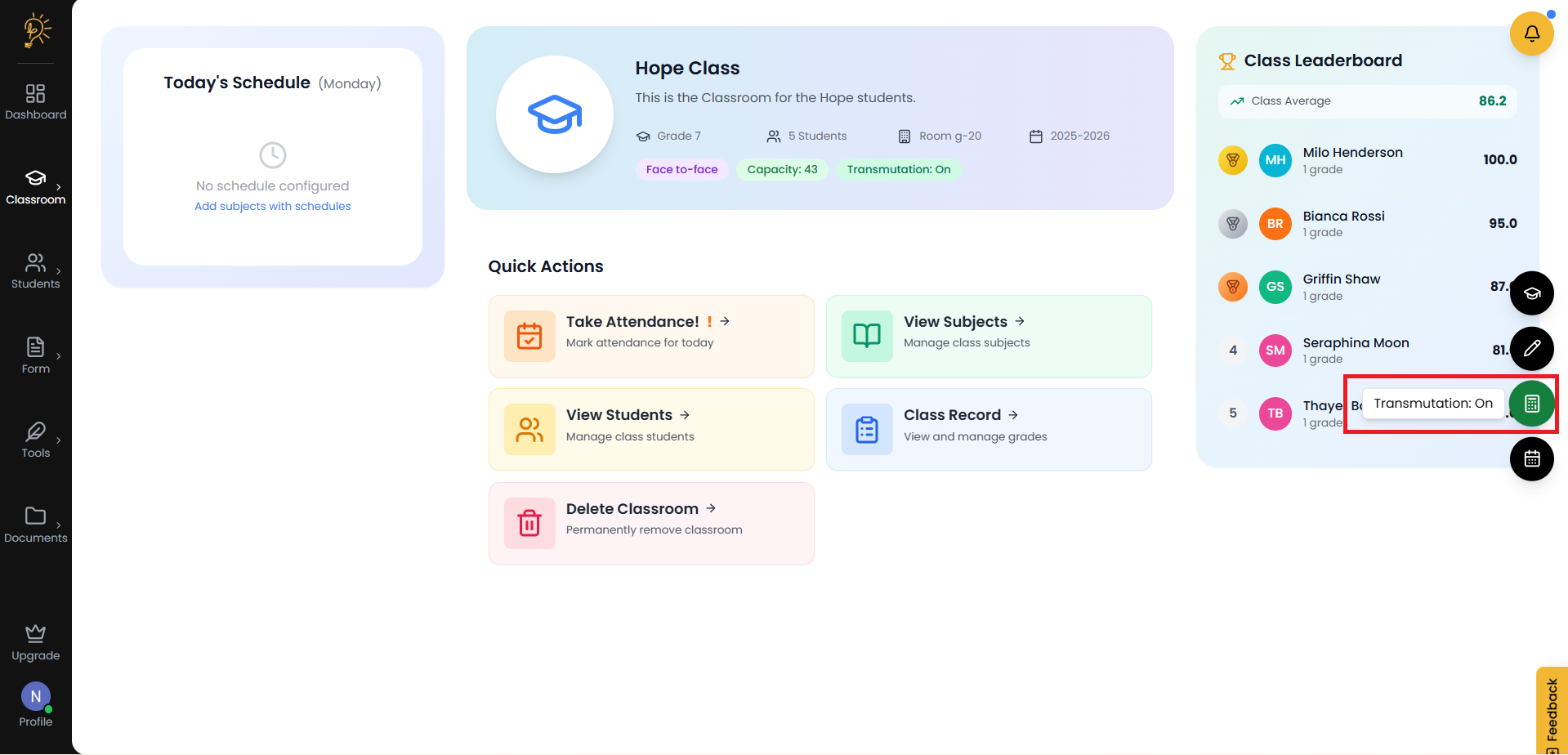
Because the system follows DepEd standards consistently, teachers don’t have to recompute or verify each subject manually.
No More Transcription Between Files
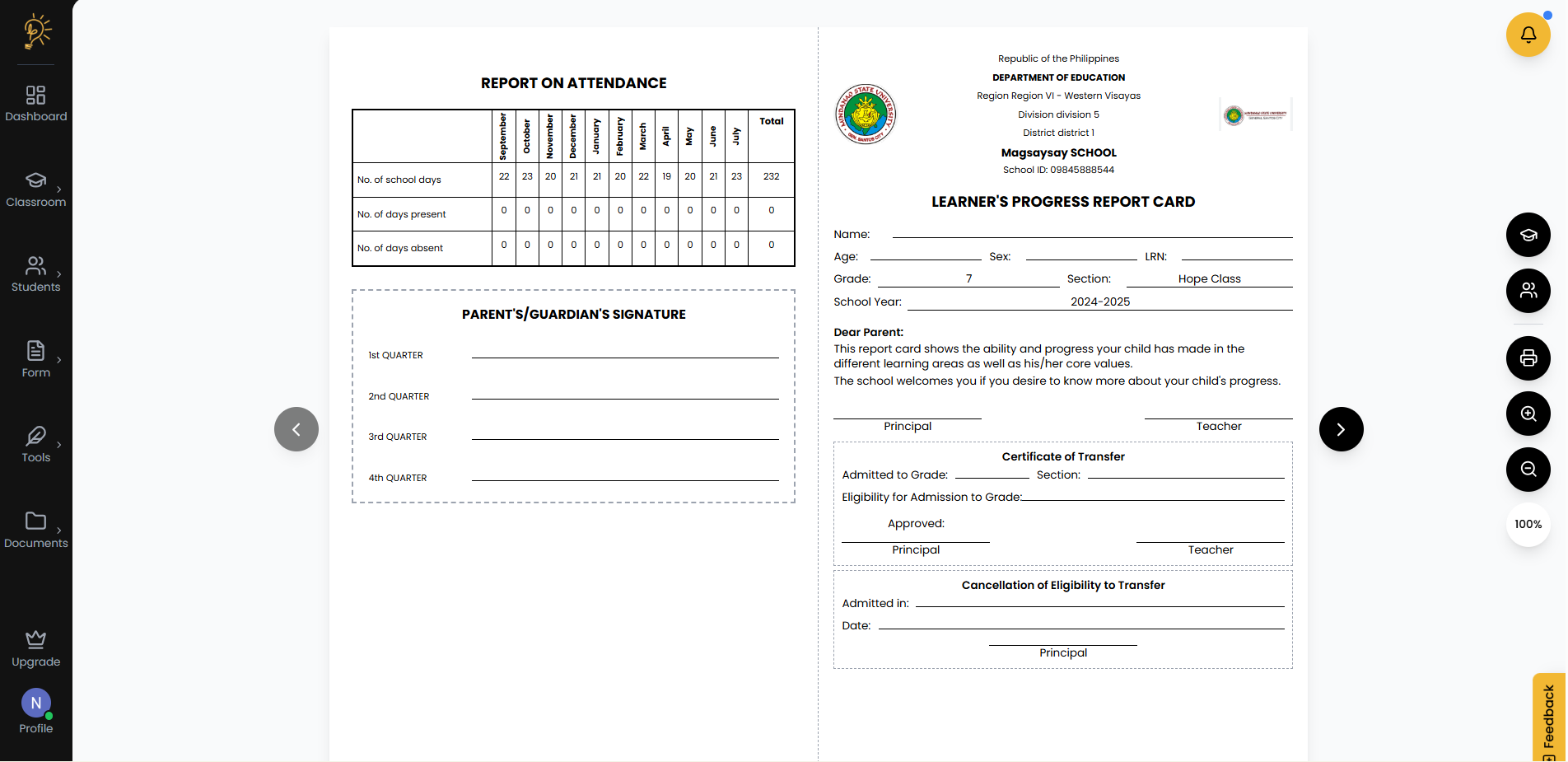
One of the biggest time-consuming parts of SF9 preparation is copying grades from one file to another.
With SF9 connected directly to the class record, there’s no re-typing involved. Grades entered once are the same grades used everywhere. If a correction is needed, it’s done in one place and reflected in the SF9.
This alone removes hours of repetitive work every quarter and greatly reduces encoding errors.
One-Click SF9 Generation for the Whole Class
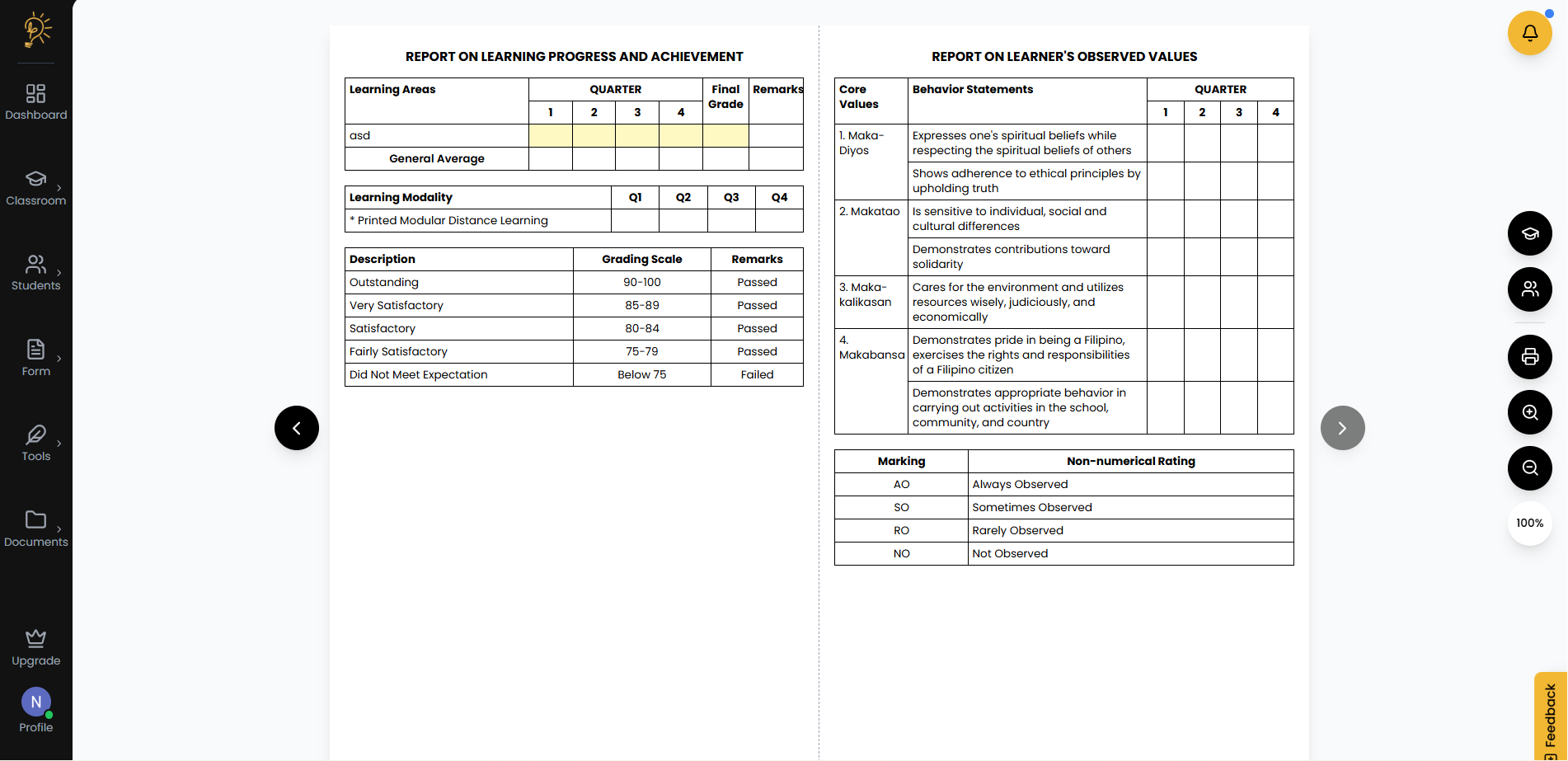
When grades are complete, SF9 can be generated in one click.
The output follows DepEd’s required format and includes all necessary sections — grades per subject, general average, attendance, remarks, grading scale, and signature areas. Files are export-ready for printing or digital sharing, with no layout adjustments needed.
Instead of creating report cards one by one, teachers can generate SF9s for the entire class at once, then focus on reviewing and releasing them.
Promotion Status and Remarks, Applied Automatically
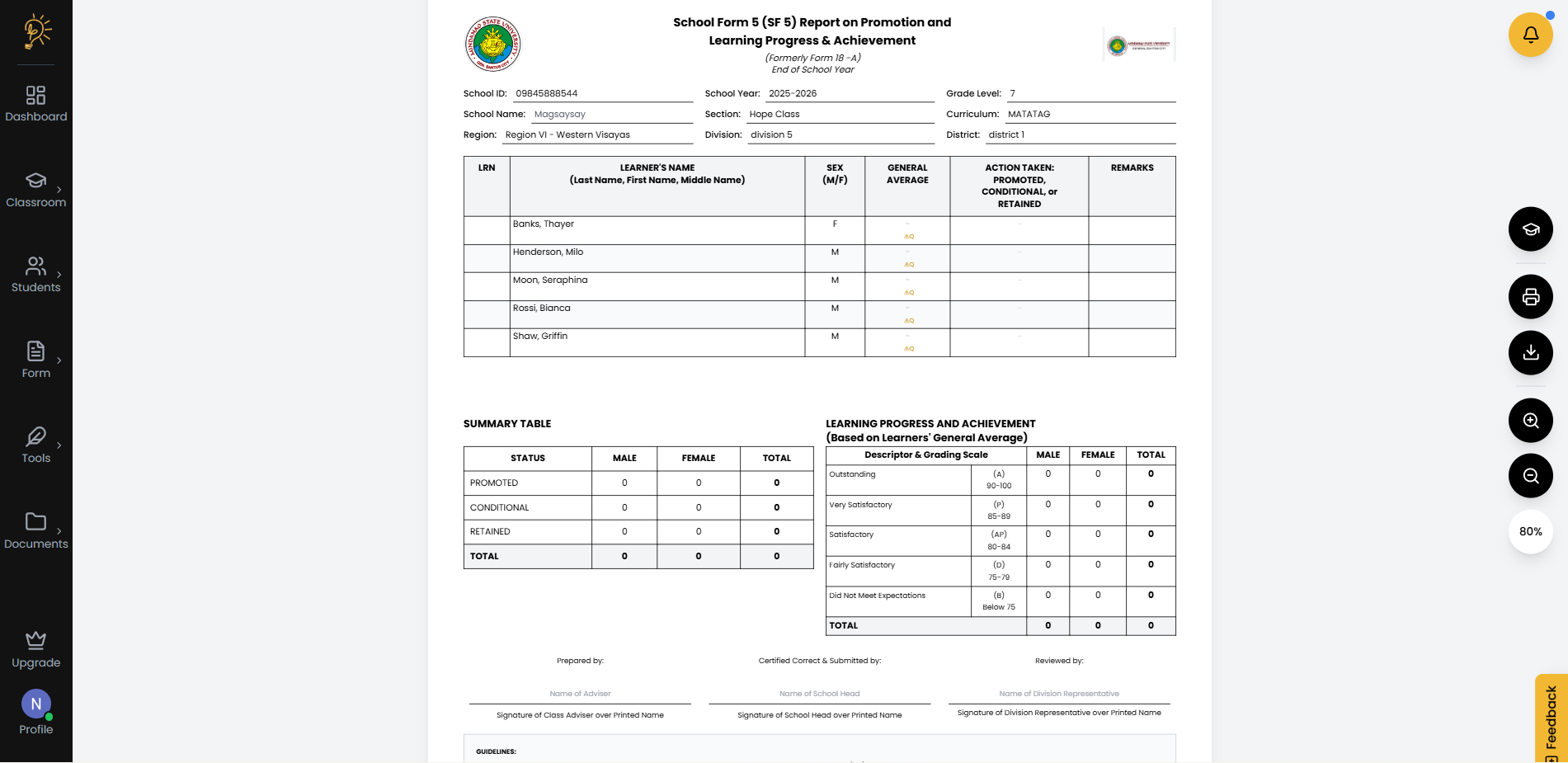
SF9 requires consistent remarks and promotion status based on learner performance. Doing this manually usually means counting failed subjects and checking thresholds.
With automation, the system applies DepEd rules automatically:
- Learners with no failed subjects are marked as promoted
- Learners with one or two failed subjects are marked conditional
- Learners with three or more failed subjects are marked retained
Remarks such as “Passed,” “Failed,” or “Conditional” are filled in based on actual grades. This ensures consistency across learners and removes another layer of manual checking.
One Set of Grades, Consistent Across School Forms
SF9 does not exist alone. It feeds into other school forms.
When SF9 is generated from a single data source, the same grades and promotion status can automatically populate related forms like SF5, SF6, and SF10. This prevents mismatches during audits and inspections, since the numbers are coming from the same validated record.
If grades are updated, related forms can be refreshed without starting over.
What SF9 Preparation Looks Like With Automation
Without automation, SF9 preparation can take several hours per class each quarter. With automation, that time is reduced to review, verification, and release.
Teachers still stay in control. They still check grades. But they’re no longer rebuilding the same report card every quarter from scratch.
SF9 becomes what it’s supposed to be — a clear summary of learner progress, not a source of stress.
The Takeaway for Teachers
SF9 preparation becomes difficult not because the form is complex, but because it is usually done outside a connected system. When grades, computations, and report cards live in separate files, teachers are forced to repeat the same work every quarter.
By preparing SF9 directly inside Better Teaching Solutions using DepEd-compliant, interconnected school forms, grading and reporting become automated by design. Grades flow from the class record, computations follow DepEd standards, and related forms stay consistent — without extra encoding or manual checking.
The result is a workflow where teachers spend less time assembling report cards and more time doing what actually matters: reviewing learner progress and supporting student growth.
Frequently Asked Questions
Author
Better Teaching Solutions
Making teaching easier, giving more time for our hard working teachers!