“The reliable way to eliminate errors when filling multiple DepEd forms is to use a unified grading system where all your forms automatically generate from the same data source.”
The Root Cause of Every Form Problem
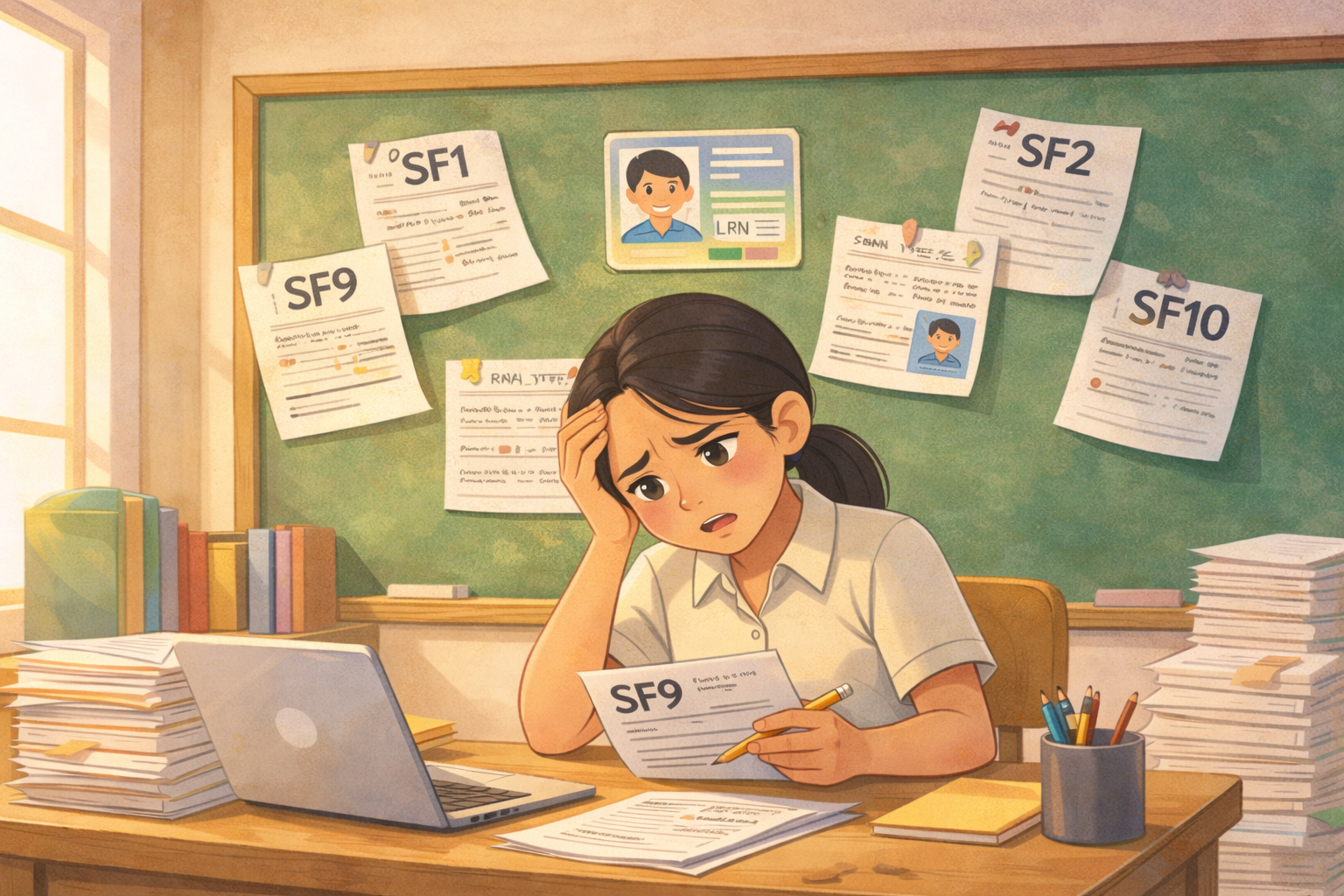
It’s the third week of March. Your SF1, SF2, and SF9 are ready for submission—until your principal finds names that don’t match and grades that don’t line up. Suddenly you’re re‑checking forms, editing files, and reprinting instead of going home.
School Forms are your official proof that enrollment, attendance, grades, and learner movement are correct and DepEd‑compliant.
But the same learner is encoded in SF1, SF2, SF5, SF9, class records, and LIS—usually typed separately each time. Every transfer, correction, or new enrollee means another round of updates.
Because these changes live in separate files, small differences slowly appear between forms. Auditors catch the mismatches, and teachers pay the price in lost hours fixing data that should have been consistent from the start.
Ways Teachers Can Manage Student Information
Even without a full system, many schools already use simple but effective methods to keep forms aligned and reduce mismatches.
Use LIS as the master list
Using LIS as the primary source for learner information (name, LRN, sex, birthdate) and downloading system‑generated SF1/SF2 instead of re‑creating lists in separate spreadsheets helps standardize details and avoid spelling and ID mismatches across forms.
Follow DepEd’s formal checking process
Applying DepEd’s standard preparation and checking procedures—where School Checking Committees compare SF1, SF2, SF5, and SF9 before final signing—catches many inconsistencies in enrollment, attendance, and promotion status before records become final.
Use synchronized Excel school‑form files
Some schools build or adopt Excel workbooks where one encoded class list automatically feeds multiple sheets (e.g., SF1, SF9), so advisers type learner data once and let formulas update the related forms, greatly reducing copy‑paste errors.
Adopt automated SF templates and generators
Auto‑computing SF templates with built-in formulas and macros generate totals and summaries from a single encoding point, cutting down on repetitive typing and manual calculations while still producing DepEd‑style forms teachers are familiar with.
Tips for Keeping Records Aligned

These practical classroom tips are designed to help you prevent data inconsistencies in your School Forms, following the same spirit as DepEd's guidelines on accurate and reliable records. They’re written specifically to help teachers reduce corrections, avoid audit issues, and keep learner information aligned across forms even when everything is still done manually.
Always start from one official list
Pick one official list—usually your LIS or latest SF1—and treat it as your only reference when encoding names, LRNs, and basic details into other forms. This keeps learner information consistent even if you’re still working in separate files.
Check related forms together, not one by one
Before submission, set aside a short time to open your key forms side by side (for example SF1, SF2, SF9, SF10) and quickly compare names and totals. Looking at them together makes it easier to spot mismatches than checking each form in isolation.
Record every correction once, then update all forms
When you fix a spelling, LRN, or status, write it down in a simple correction list and update all affected forms in the same session. This habit prevents “forgotten” changes and makes it easier to answer questions during school or division checking.
These practices can reduce errors, but they still depend on manual discipline and extra time. As long as each School Form is handled as a separate document, teachers still need to remember where changes were made and which files were updated.
How a Platform Solves DepEd Form Data Inconsistency for Teachers?
Better Teaching Solutions is designed to support DepEd School Forms by organizing all learner information around one shared student record. Instead of treating SF1, SF2, SF5, SF9, class records, and LIS as separate tasks, BTS keeps them connected through the same data.
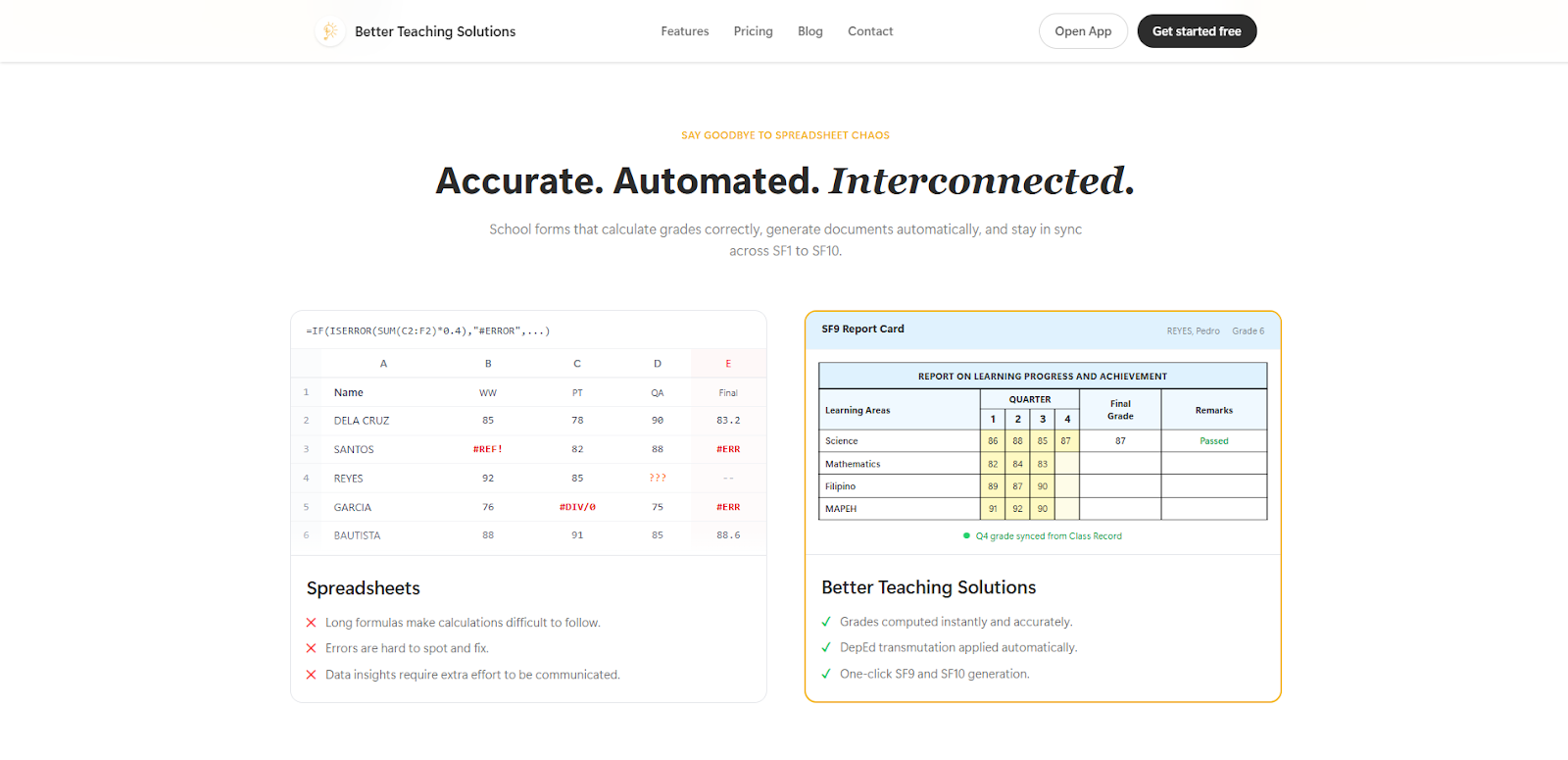
Because the forms are generated from shared data, BTS helps prevent the usual issues teachers see in manual workflows—mismatched counts, different spellings of the same learner, or grades that don’t line up from one document to another. It does not remove the forms or change DepEd requirements; it makes it easier for teachers to keep records consistent without spending late nights rechecking and fixing the same information again and again.
One‑time data entry
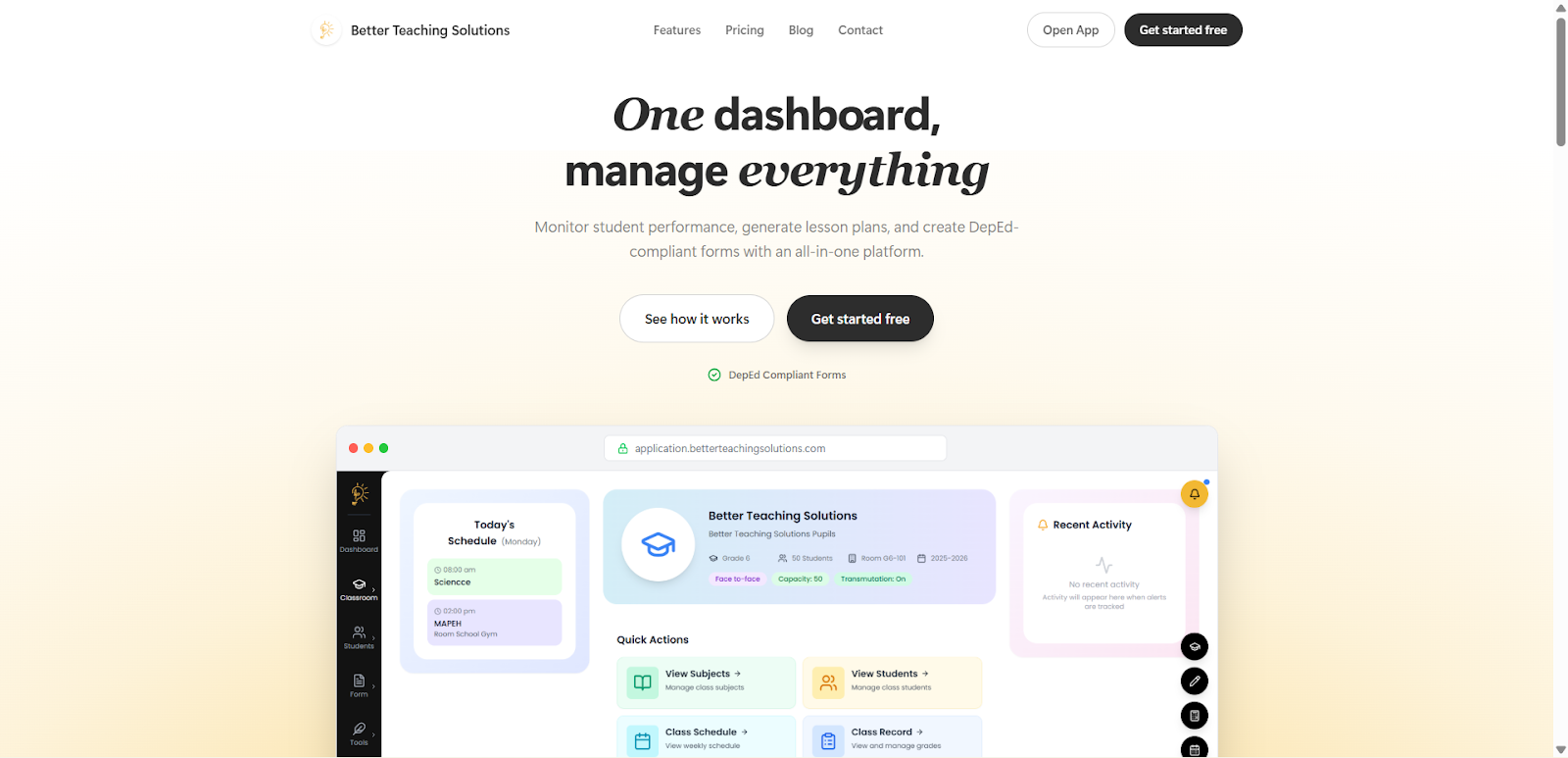
Once learners are encoded and classroom data is in place, BTS reuses that information to generate the forms you need, instead of asking you to fill them out separately. The same records can produce your SF1, SF2, SF5, SF9, class records, attendance sheets, and summaries with just a few clicks.
You still see the familiar DepEd layouts, but you are no longer typing the same details again and again. This reduces simple encoding mistakes and frees up more of your time for lesson planning, assessment, and actual classroom work.
Automatic validation across all forms
As you work, BTS quietly checks your data against the rules used in DepEd forms, instead of waiting until submission time to reveal problems. It can flag issues such as missing LRNs, impossible birthdates, mismatched totals, or learners in SF2 without a matching record in SF1.
These checks run across the shared database, not just inside one form, so you see warnings while you are still encoding or reviewing. That means many of the errors that usually appear during division or school audits are already fixed before the forms are printed or exported.
Audit‑ready consistency reports
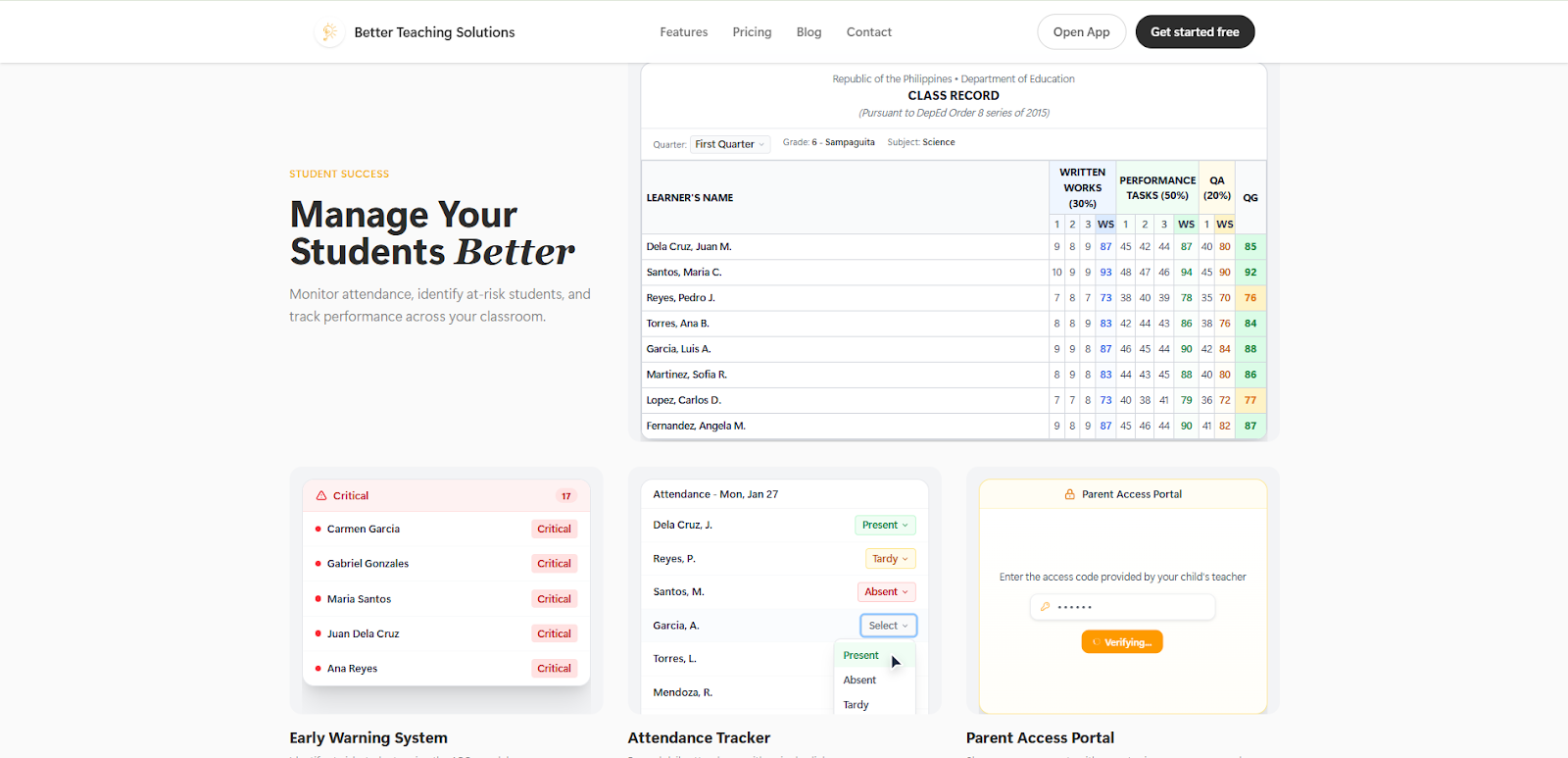
Before submission or monitoring, BTS can generate consistency reports that show whether your key counts and fields line up across forms. These reports highlight totals for enrollment, attendance, promotion, and learner movement, and show whether they match across the forms that use them.
Instead of discovering issues during an audit visit, you can print or export these summaries ahead of time and resolve any remaining gaps. The result is a smoother, less stressful inspection, because your records have already been checked against each other before anyone asks for them.
Classroom and student dashboards
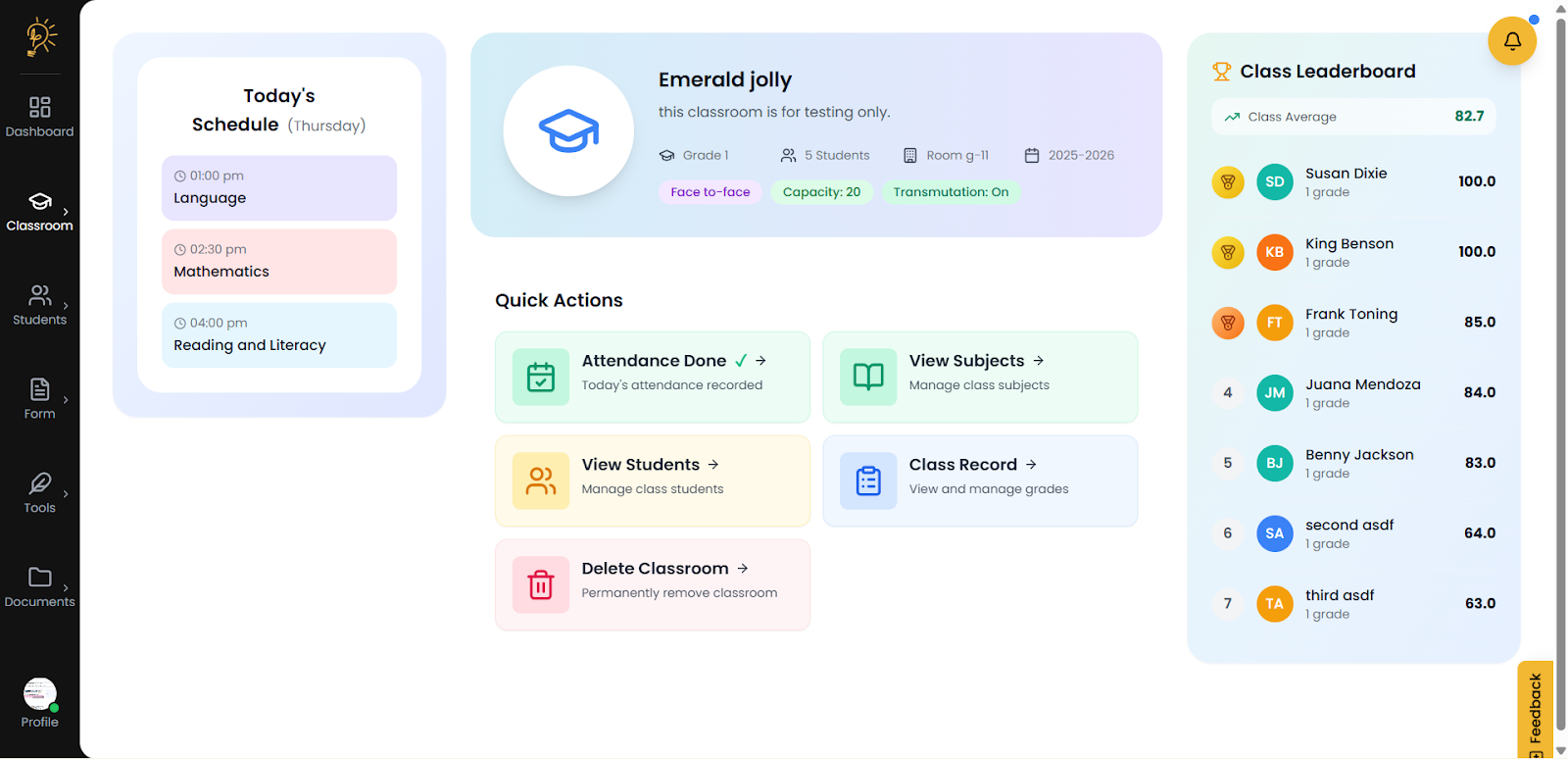
The classroom dashboard gives you a quick view of today’s schedule, class size, and grade summaries powered by the same centralized records. When you open a student’s performance page, you see attendance trends, subject grades, and profile information drawn directly from the shared database, not from a separate “analytics” file.
This means what you see on the dashboard is already consistent with what will appear on SF2 and SF9, so you can spot issues early instead of discovering them during audit time.
AI‑assisted planning and assessment (still tied to the same data)
BTS includes AI tools for lesson plans, assessments, and DLLs that sit on top of this shared classroom data. When you generate a DLL or quiz, the tool can follow the same grade level, subject, and quarter that are already set in your classroom and student records.
Because these AI tools read from the same context, they help you prepare class work that matches the actual students on your list, without creating a separate “island” of information that might conflict with your official records.
AI insights and performance overview for early warnings
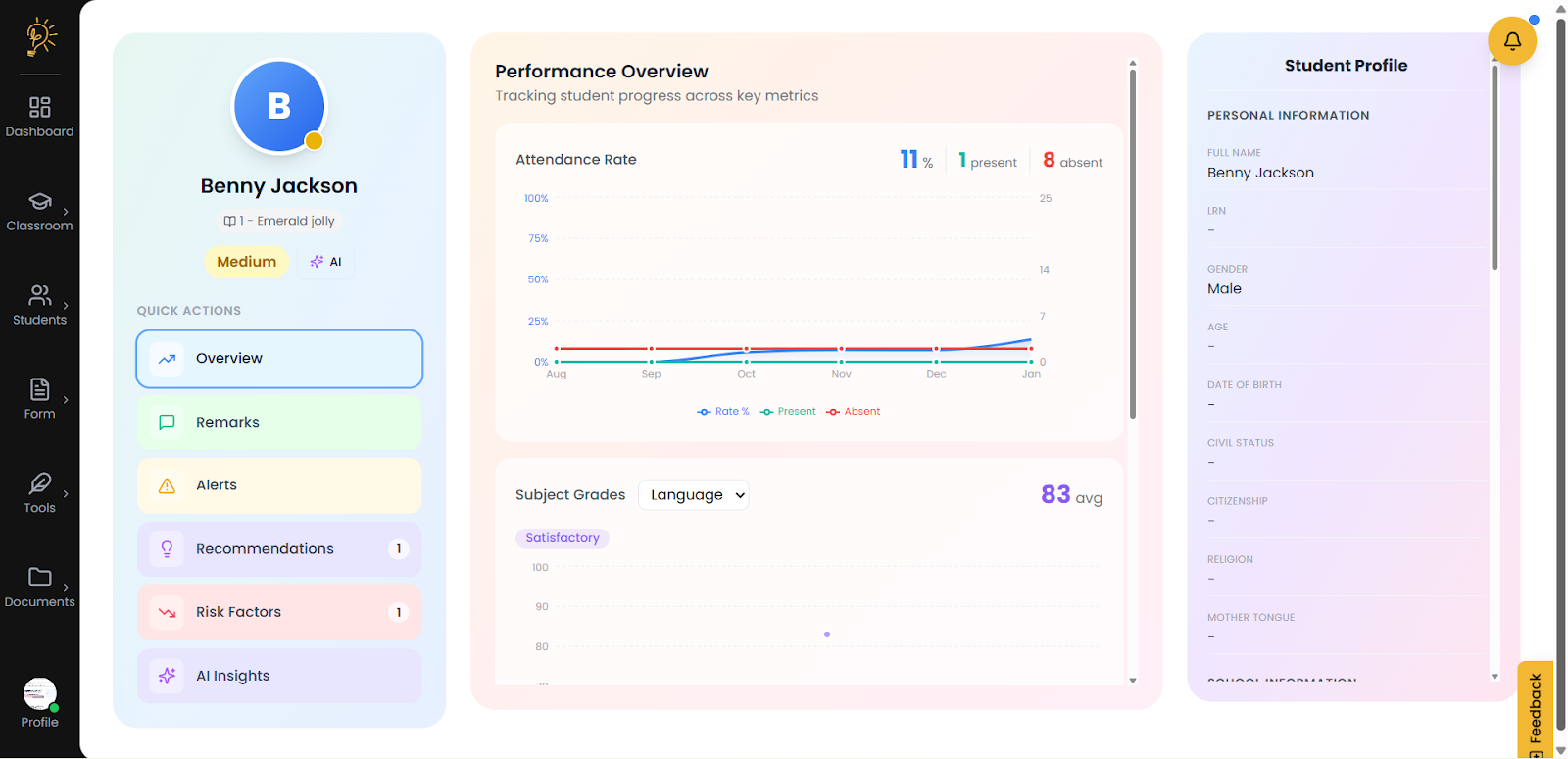
On the student performance screen, AI can highlight patterns such as low attendance, declining grades, or combined risk factors based on the same attendance and grading data that will later feed your DepEd forms. These insights do not replace the forms; they help you act before those issues show up as inconsistencies or problems during validation.
By using AI to surface trends and possible concerns early, BTS helps you keep records accurate as you go, instead of fixing gaps at the end of the quarter or school year.
Parent portal linked to the same student data
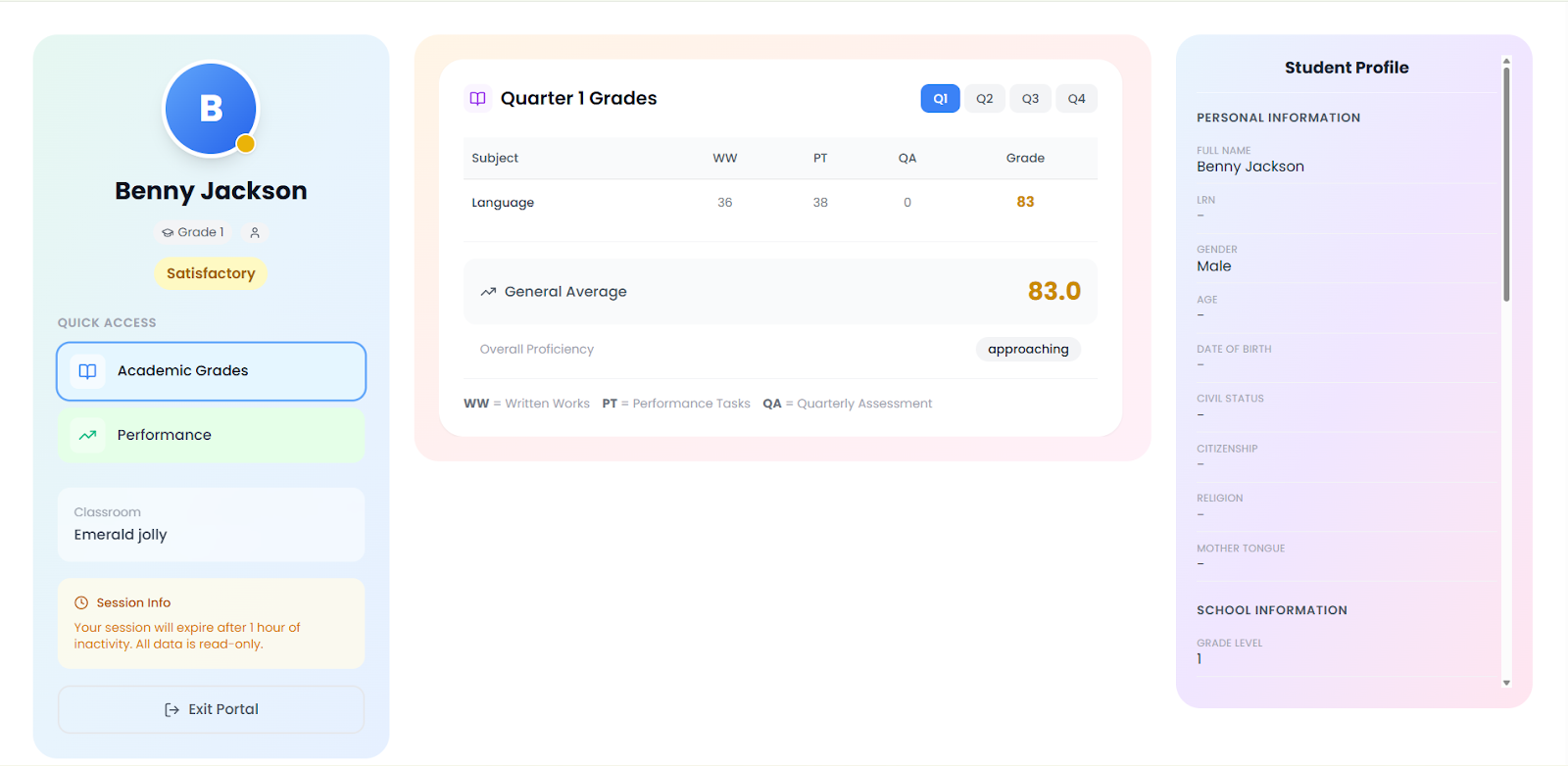
For each learner, BTS can generate a secure parent portal where families can see their child’s grades, attendance, and basic school information in one place. This portal reads directly from the same student record teachers use, so the quarter grades, remarks, and status shown to parents are always aligned with the official class record and DepEd forms.
Teachers can send a link to this portal through text, chat, or email instead of printing and distributing separate copies. When grades or details are updated in BTS, the changes automatically appear in the parent view the next time the link is opened, removing the need to resend files and reducing confusion between what parents see at home and what the school has on record.
Final Takeaway
Accuracy in your DepEd School Forms is non‑negotiable because they shape a learner’s official record and future opportunities. Technology should handle the repetitive data work in the background so you can focus on real teaching—knowing your students, making sound judgment calls, and ensuring fair, consistent outcomes for every learner.
Frequently Asked Questions
Author
Better Teaching Solution